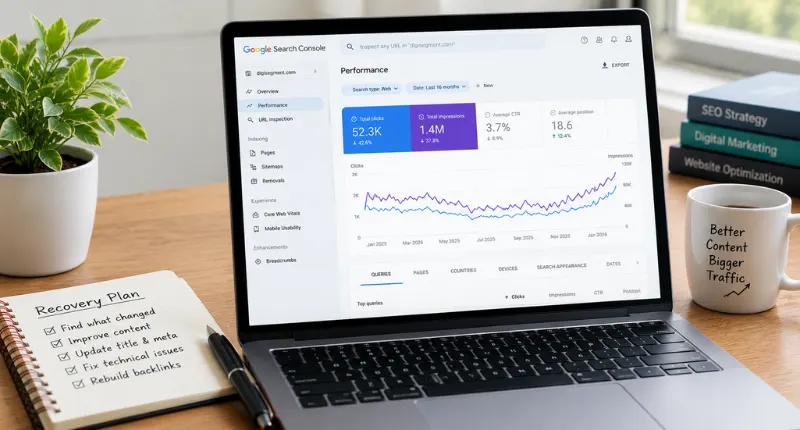
If you’re trying to recover traffic after a core update, the first thing I’ll tell you is the same thing I told that client: stop guessing, and start reading your own data in the right order.
Most articles on this topic just repeat Google’s own advice word for word. Fair enough, that advice isn’t wrong. But it skips the part nobody talks about: which signal to check first, second, and third, so you’re not throwing fixes at the wall for three months while you try to recover traffic after a core update.
The Short Version
If you want to recover traffic after a core update, treat it as a sequence, not one action. Check Search Console data first to confirm the drop and find the affected pages. Then fix content quality on those specific pages. Only then touch technical SEO, unless a technical issue is obvious immediately. Recovery, when it comes, usually shows up within the next one to two core update cycles, not overnight. That’s the whole shape of a realistic core update recovery.
The Problem: Your Numbers Dropped and Nobody Told You Why
You checked your rankings tool on a Tuesday and three of your best pages had fallen off page one. No warning. No email from Google. Just a traffic drop after an algorithm update that you weren’t even sure had happened yet, and no obvious way to recover traffic after the core update on your own.
So you start reading. Fifteen tabs later you’ve got conflicting advice: rewrite everything, add more words, add fewer words, get more backlinks, fix your Core Web Vitals, do all of it at once. That last one is the mistake. Changing five things simultaneously means you’ll never know which one actually helped you recover traffic after a core update, and which one was noise.
Every guide claiming an instant SEO recovery plan skips this part too. There isn’t one. There’s a diagnostic order, and skipping steps in it is exactly why so many “fixes” don’t move the needle.
The Diagnostic Order to Recover Traffic After a Core Update
Here’s the order I actually use with clients, and it starts nowhere near your content editor.
Step 1: Confirm It’s a Core Update, Not Something Else
Before you touch a single page, rule out the boring explanations. Seasonality. A broken redirect. A tag manager error that stopped tracking half your site. Check the Search Status Dashboard against your drop date. If the timing lines up with a confirmed core update, you’re in the right diagnosis, and you can start working on a plan to recover traffic after the core update. If it doesn’t, you’re chasing the wrong fix entirely, and no amount of content rewriting will help.
Step 2: Pull the Right Search Console Comparison
This is where most people get it wrong. They compare “last 28 days” against “previous 28 days” and panic at the wrong number. Instead, compare a full week starting at least seven days after the update finished rolling out against the equivalent week before it started. Our own Google Search Console guide walks through exactly how to slice that comparison so you’re not fooled by normal weekly noise, which matters a lot once you’re actually trying to recover traffic after a core update instead of just watching the graph.
If you want to recover traffic after a core update efficiently, this comparison step is where you either save yourself weeks or waste them.
Step 3: Segment by Page, Not by Site
Pull your top 20 pages by clicks, sorted by position change. In my experience, a Google core update recovery almost never needs to touch the whole site. Usually it’s 15-20% of pages doing 80% of the damage. Fix those, and the site-wide number moves on its own. This is the step most core update checklist templates skip entirely, and it’s the one that saves you weeks.
Content Quality Is Step Two, Not Step One
Once you know which pages dropped, and only then, look at what’s actually on them. This is the stage where most sites either recover traffic after a core update or waste months rewriting pages that were never the problem.
The Helpful Content Recovery Questions
Ask three questions per page, honestly:
- Does this page answer the query better than what’s now ranking above it?
- Was this written from real experience, or assembled from five other articles?
- Would I trust this page’s advice enough to act on it myself?
If the honest answer to any of those is “not really,” that page is your helpful content recovery priority, not a technical audit. This is usually where the real work of recovering traffic after a core update actually happens, and honestly, it’s the step most people try to skip because it’s slower than flipping a technical switch. We cover the difference between content-level and structural fixes in our technical SEO vs on-page SEO breakdown, and it’s worth reading before you touch code.
When Thin Pages Are Dragging Down the Whole Site
Here’s the part people hate hearing. Sometimes the fix isn’t editing the affected page at all, it’s dealing with twelve other thin pages sitting nearby on the site that never earned their spot. Google evaluates quality at a site level as much as a page level. I’ve seen sites recover faster, and get their traffic back after a core update sooner, by merging or removing weak pages than by “improving” the pages that actually dropped. If you’re unclear on what separates useful content from filler, our guide on what content marketing actually means is a good starting point before you attempt any Google core update recovery on a page-by-page basis.
Technical Checks That Support the Fix, Not Replace It
Only after the content pass do I look at technical signals, unless something obvious jumps out earlier, like a broken canonical tag or a page accidentally set to noindex. Technical fixes rarely recover traffic after a core update on their own, but they clear the runway for the content work to actually count.
Core Web Vitals and Crawl Health
Check load speed, layout stability, and whether Googlebot can actually crawl the affected pages without hitting errors. This rarely causes a core update drop by itself, but a slow, unstable page makes it harder for genuinely improved content to get re-evaluated quickly, which slows down any attempt to recover traffic after a core update even when the content fix was right. Our Core Web Vitals case study shows what that fix looked like on one client’s e-commerce site.
The Core Update Checklist: Recovering Your Traffic Step by Step
If you want this as a plain sequence to run through with your team, here’s the numbered version.
- Confirm the drop dates against the Search Status Dashboard.
- Pull a clean before/after comparison in Search Console, one full week each side, at least a week after rollout ends.
- Rank affected pages by lost clicks, not lost position, since position alone can mislead you.
- Run the three helpful-content questions on your top five affected pages.
- Rewrite or consolidate pages that fail the honesty test.
- Check Core Web Vitals and crawl errors only on pages you’ve already improved.
- Request indexing on updated pages and log the date you made each change.
- Track weekly for six to eight weeks minimum, and don’t touch anything else in the meantime.
Run through this core update checklist once, fully, before deciding whether you need a bigger SEO recovery plan or just a handful of page-level fixes.
The result is a clear, dated record of what changed and when, so if a rebound happens, you’ll actually know why. Treat this core update checklist as a loop, not a one-time fix, since the next update tests whether your changes actually stuck.
What Actually Happened When One of My Client Sites Got Hit
In late 2025, a home improvement client of mine dropped from roughly 4,800 monthly organic sessions to just under 2,600 after a confirmed core update, and asked me point-blank how to recover traffic after a core update without blowing up their whole site. My first instinct, honestly, was to blame their page speed. I was wrong. Their Core Web Vitals scores were fine.
What actually happened: eleven service-area pages had near-identical content with the city name swapped out, a classic scaled-content pattern. We consolidated eight of them into three genuinely useful location pages, rewrote the real experience sections with actual project photos, and left the technical side alone.
Six weeks later, sessions were back to 4,100, and their SEO recovery plan was basically just that one decision. Full recovery landed with the next confirmed core update, about ten weeks after the fix went live. I’ve changed my mind on this since: I used to think technical issues were the usual culprit. Now I check thin and duplicated content first, every time, because that’s where most of a real Google core update recovery actually gets won or lost.
What a Real Recovery Graph Looks Like
That graph shape is the honest version of what it looks like to recover traffic after a core update: a sharp drop, a flat period while Google re-crawls and re-evaluates, then a gradual climb that usually accelerates around the next confirmed update. According to Search Engine Land’s core update guide, recovery typically arrives in gradual increments over several weeks or months rather than as a single overnight jump, and often only becomes fully visible once a later core update confirms the improvement. That matches what I’ve seen across every client site where we worked to recover traffic after a core update.
FAQs
What is a Google core update?
A core update is a broad change Google makes to its ranking systems, several times a year, aimed at surfacing more helpful and reliable content overall. It doesn’t target one site or page directly. Google’s own core update documentation confirms these updates reassess quality across the entire web, not individual pages.
How long does it take to recover from a Google core update?
Realistically, weeks to a few months for most sites trying to recover traffic after a core update. Small, meaningful improvements can start showing signals like better impressions within days, but full, confirmed recovery usually lands with the next core update cycle, roughly six to twelve weeks later. YMYL topics like health and finance often take longer.
How do I check if a traffic drop was caused by a core update?
Compare your drop date against Google’s Search Status Dashboard. If they line up within a few days, that’s your answer, and you can start planning how to recover traffic after the core update instead of guessing. If they don’t, look at technical errors, seasonality, or a manual action first.
Does core update traffic recovery cost anything?
Not necessarily. Most of the fix is time and editorial effort, not paid tools. Some sites hire help for the audit and rewrite work, but the Search Console data itself is free, so a basic SEO recovery plan doesn’t require a big budget.
Do core update recoveries actually work?
Yes, in most cases, if the underlying content problem gets genuinely fixed rather than just reworded. I’ve seen a core update recovery fail, too, usually when a site edits surface-level details instead of the real quality gap.
Google core update vs. helpful content update, what’s the difference?
The helpful content system used to run as a separate, standalone update; it’s now folded into how core updates evaluate content quality overall. In practice, the fix for both is nearly identical: real experience, genuine usefulness, and no scaled or thin content, so your recovery plan doesn’t need to change based on which term is used.
Why is my traffic still dropping weeks after the core update officially ended?
Rollouts can take up to two weeks, and re-crawling of your specific pages takes longer still. If the drop continues past that window, check for a second concurrent issue, like a spam update or a technical error, rather than assuming it’s still the same core update slowing your recovery.
How do I recover traffic after a core update in 2026, in one sentence?
Confirm the update, diagnose with Search Console data first, fix content honestly on the specific pages that dropped, then check technical signals, and give it two full update cycles before judging whether you’ve actually managed to recover traffic after the core update.
Final Word
I won’t pretend every recovery is fast or guaranteed, some sites need real structural rebuilding, not a checklist. But the order matters more than most people admit if you actually want to recover traffic after a core update. Data first. Content second. Technical last, unless it’s obviously broken. Skip that order and you’ll spend three months guessing.
For a deeper look at how we diagnosed a full-site quality problem end to end, read our SEO audit case study, and for a page-level example of the same content-first approach, our on-page SEO case study walks through it step by step.
If nothing else, take the diagnostic order with you: data first, content second, technical last, and give the process time to actually recover traffic after a core update before you judge it.

Founder, Digi Segment
SEO Strategist & Digital Marketing Expert
Hardik Vaghani is a digital marketing professional and SEO strategist based in Surat, Gujarat, India. He founded Digi Segment to share practical, experience-backed insights, case studies, and step-by-step guides on SEO, digital marketing, AI tools, and online growth strategies.
With hands-on experience across Search Engine Optimisation, Technical SEO, Google Ads, Meta Ads, and Content Strategy, Hardik has worked with businesses across e-commerce, real estate, healthcare, home improvement, and solar industries to improve organic visibility, local rankings, and lead generation through ethical, white-hat strategies.
He specialises in Core Web Vitals optimisation, on-page SEO, keyword research aligned with search intent, and building scalable content frameworks that rank.
Expertise: SEO | Technical SEO | Google Ads | Meta Ads | LinkedIn Ads | Pinterest Ads | ChatGPT Ads | Content Strategy | Core Web Vitals | WordPress | Digital Marketing | Lead Generation | Local SEO