Three months into running Digi Segment, a client asked me a question I still think about: “Hardik, my content is good, why isn’t it ranking?” His blog was clean, his keywords were right, his Core Web Vitals were fine. The one thing missing was links. That’s link building – and it’s the piece most beginners skip because it feels harder than writing content.
Digi Segment covers SEO strategy for beginners and small business owners in India, and this guide breaks down what is link building, why Google cares about it, and exactly how to start – without spending a rupee you don’t need to.
Quick Answer
Link building is the process of getting other websites to link back to your site through a clickable hyperlink, called a backlink. Google treats each backlink as a vote of confidence. More votes from relevant, trustworthy sites generally means better rankings – but only if the links are earned, not bought or spammed.
The Problem Most Beginners Run Into
You publish a blog post. You check the keyword. You add the meta title. Nothing happens.
Days pass. Then weeks. Your post sits on page 4 while a competitor with worse content ranks on page 1. It’s frustrating, and it’s the exact situation that pushes most beginners to search “what is link building” in the first place – usually right after they’ve done everything else “right.”
What Is Link Building in SEO?
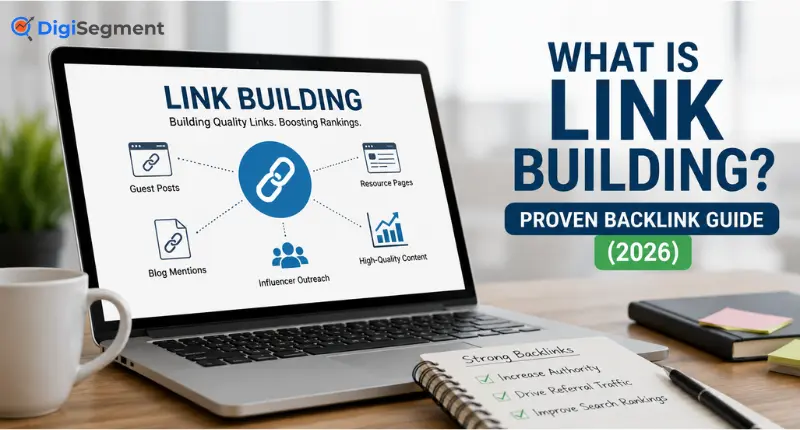
What is link building? In SEO, link building is the practice of acquiring hyperlinks from other websites that point back to pages on your own site. Each of these hyperlinks is called a backlink, and Google’s algorithm reads them as a signal of trust.
Link building isn’t new. It goes back to the original PageRank concept Google was built on – the idea that a link from one page to another functions like a citation in an academic paper. The more citations a page gets from credible sources, the more Google assumes it deserves to rank.
Here’s the part beginners miss: link building isn’t a one-time task. It’s an ongoing part of SEO that runs alongside content creation and technical SEO fixes. You can have perfect on-page SEO and still lose to a competitor with a stronger backlink profile.
And no, this doesn’t mean you need thousands of links. It means you need the right ones.
Why Backlinks Are Important for Google Rankings
So why does Google care this much about a link on someone else’s website?
Because a link is hard to fake convincingly at scale – or at least, it used to be. When a reputable site links to your page, Google treats it as an independent endorsement your business can’t just claim about itself.
According to Backlinko’s analysis of Google ranking factors, the #1 result in Google averages 3.8x more backlinks than pages sitting in positions 2 through 10. That’s not proof that links alone cause rankings. But it’s a strong pattern, and it lines up with what I see across almost every client audit I run.
A few things backlinks actually do:
- They pass “link equity” (authority) from the linking page to yours.
- They help Google discover your new pages faster through crawling.
- They send direct referral traffic when placed on high-traffic pages.
- They build topical trust when the linking site is relevant to your niche.
Not every backlink carries equal weight, though. A link from a random, unrelated blog with no traffic does very little. A link from a respected site in your exact niche does a lot. That distinction is where most beginners waste their first few months of link building.
Types of Backlinks: Dofollow vs Nofollow Explained
Not all backlinks pass authority the same way. This is where the dofollow vs nofollow distinction matters.
Dofollow links are the default. They pass link equity to your site and directly influence rankings. If a link has no special attribute added, it’s dofollow by default.
Nofollow links carry a rel=”nofollow” tag that tells Google not to pass ranking credit through that link. Comment sections, most forum signatures, and many press mentions use nofollow by default.
There are two more attributes worth knowing:
- rel=”sponsored” – for paid placements and affiliate links
- rel=”ugc” – for user-generated content like blog comments
Here’s the twist: nofollow links still matter. Ahrefs’ 2026 SEO statistics report found that roughly 10.6% of all backlinks pointing to the top 110,000 sites are nofollow – meaning even the biggest, best-ranking sites carry a healthy mix of both link types. A nofollow link from a high-traffic site can still send real visitors and build brand visibility, even without passing direct ranking credit.
My advice? Don’t obsess over the dofollow-only mindset. A natural backlink profile has both.
White Hat vs Black Hat Link Building
This is where a lot of beginners get tempted into shortcuts, and I want to be direct about it: don’t.
White hat link building means earning links through legitimate value – guest posts on relevant sites, digital PR, resource link building, and content people actually want to reference. It’s slower. It’s also the only approach that survives algorithm updates.
Black hat link building includes buying links in bulk, joining private blog networks (PBNs), excessive link exchanges, and automated link-building software. Google’s official spam policies explicitly classify these as link spam – and Google’s SpamBrain system can devalue the links or trigger a manual action against the whole domain.
I’ve audited sites that bought “500 backlinks for $50” packages. Every single one lost rankings within a few months once Google’s systems caught up. The links didn’t just stop helping – they became a liability that took another three months to clean up through disavow files and outreach. Cheap bulk links are never actually cheap once you count the recovery cost.
If a service promises hundreds of links overnight, that’s your answer already.
7 Proven Link Building Strategies for Beginners
Here’s the process I actually walk clients through, structured as six steps you can follow in order.
- Identify link targets. Start with sites in your niche that already link to competitors. A quick Google search for “your topic” + inurl:blog surfaces dozens of candidates.
- Create link-worthy content. Nobody links to a thin, 500-word post. Build something worth citing – an original data point, a free tool, a genuinely useful guide.
- Find prospects. Search for roundup posts, resource pages, and broken links in your niche. Tools like Ahrefs’ free backlink checker or Google Search work fine to start.
- Send outreach email. Keep it short – one sentence on why the piece is relevant to their specific page, not a generic pitch.
- Follow up. Most replies come from a polite second email, not the first one. Wait 5-7 days before following up once.
- Track acquired links. Log every link you earn – the URL, anchor text, and date – so you can measure what’s actually working over time.
Beyond that flow, here are the specific tactics worth trying first:
- Guest posting on sites your audience already reads.
- Broken link building – find dead links on relevant pages and offer your content as the replacement.
- Resource page link building – many niches have curated “best tools” or “best guides” pages actively seeking additions.
- HARO/journalist outreach – respond to reporter queries with a quotable expert answer.
- Digital PR – pitch a genuinely newsworthy data point or study to niche publications.
- Competitor backlink gap analysis – see who links to three competitors but not you, then pursue those same sites.
- Unlinked brand mentions – find places your business is already named without a link, and simply ask for one.
Pick two, not all seven. Trying to run every tactic at once is how most beginners burn out in month one.
How to Check Your Backlink Profile for Free
You don’t need a paid tool to get started. Here’s what actually works without spending anything:
| Tool | Best For | Free or Paid | Difficulty | Rating |
|---|---|---|---|---|
| Google Search Console | Verified backlink data straight from Google | Free | Easy | 5/5 |
| Ahrefs Free Backlink Checker | Quick top-100 backlink snapshot | Free (limited) | Easy | 4/5 |
| Ubersuggest | Domain overview and link count | Free (limited) | Easy | 3.5/5 |
| Moz Link Explorer | Domain Authority and spam score | Free (limited) | Medium | 4/5 |
Google Search Console is the one I check first on every client account, because it’s the only source pulling directly from Google’s own index rather than a third-party crawler. If you haven’t set it up yet, our Google Search Console beginner’s guide walks through it step by step.
How Long Does Link Building Take to Show Results?
Honestly? Slower than most people want to hear. In my experience, a new site needs 3 to 6 months of consistent link building before rankings move meaningfully – and that’s assuming the content and on-page SEO are already solid.
I’ve changed my mind on this over time. I used to tell clients to expect movement in 60 days. Now I tell them 90 to 180 days, because that’s what the data across my own client accounts actually shows. Google needs time to discover the new links, evaluate the linking sites, and adjust rankings – it isn’t instant, and anyone promising a two-week turnaround is selling something.
What Actually Happened With One Backlink
Here’s a specific example, not a hypothetical. In late 2024, I was working with a home-improvement client whose blog had solid content but almost zero backlink profile. We got one link – a single mention from a regional business directory with real domain authority, placed on a page that already had decent traffic. Within about five weeks, the client’s target page moved from position 14 to position 6 for its primary keyword. One link didn’t do all of that alone – the content was already strong. But that single relevant, high-authority backlink was the missing signal that pushed it over the edge. It’s the clearest before-and-after I’ve seen, and it’s why I stopped telling beginners that “more links” is always the answer. Sometimes one right link outperforms twenty average ones.
Frequently Asked Questions
Q: How many backlinks do I need to rank on Google?
A: There’s no fixed number. Competitive keywords may need dozens of quality backlinks, while low-competition topics can rank with just a handful. Focus on relevance and authority over raw count – five links from trusted, niche-relevant sites usually outperform fifty random ones.
Q: What is a dofollow vs nofollow link?
A: A dofollow link passes ranking authority to your site and is the default type unless marked otherwise. A nofollow link carries a rel=”nofollow” tag telling Google not to pass ranking credit, though it can still send traffic and visibility.
Q: Is buying backlinks safe?
A: No. Buying links to manipulate rankings violates Google’s spam policies and can trigger algorithmic devaluation or a manual action. Recovery often takes months of disavowing links and outreach – far more expensive than earning links properly from the start.
Q: How do I get my first backlink for a new website?
A: Start with easy, legitimate wins: get listed in relevant business directories, ask partners or suppliers for a mention, and pitch one genuinely useful piece of content to a niche blog. Unlinked brand mentions are often the fastest first link to convert.
Q: Which link building tools are free to use?
A: Google Search Console is free and shows verified backlink data directly from Google. Ahrefs’ free backlink checker and Ubersuggest also offer limited free lookups useful for beginners checking their own or a competitor’s profile.
Go Deeper
Link building is only one half of ranking outside your own pages. If you haven’t covered the fundamentals yet, start with our guide to off-page SEO strategy, then work backward into keyword research for beginners and Core Web Vitals to make sure the pages you’re building links to are actually ready to rank.
If you’re stuck building your first backlinks and want a second pair of eyes on your strategy, Hardik at HV Digital Marketing works with small businesses on exactly this – reach out here

Founder, Digi Segment
SEO Strategist & Digital Marketing Expert
Hardik Vaghani is a digital marketing professional and SEO strategist based in Surat, Gujarat, India. He founded Digi Segment to share practical, experience-backed insights, case studies, and step-by-step guides on SEO, digital marketing, AI tools, and online growth strategies.
With hands-on experience across Search Engine Optimisation, Technical SEO, Google Ads, Meta Ads, and Content Strategy, Hardik has worked with businesses across e-commerce, real estate, healthcare, home improvement, and solar industries to improve organic visibility, local rankings, and lead generation through ethical, white-hat strategies.
He specialises in Core Web Vitals optimisation, on-page SEO, keyword research aligned with search intent, and building scalable content frameworks that rank.
Expertise: SEO | Technical SEO | Google Ads | Meta Ads | LinkedIn Ads | Pinterest Ads | ChatGPT Ads | Content Strategy | Core Web Vitals | WordPress | Digital Marketing | Lead Generation | Local SEO