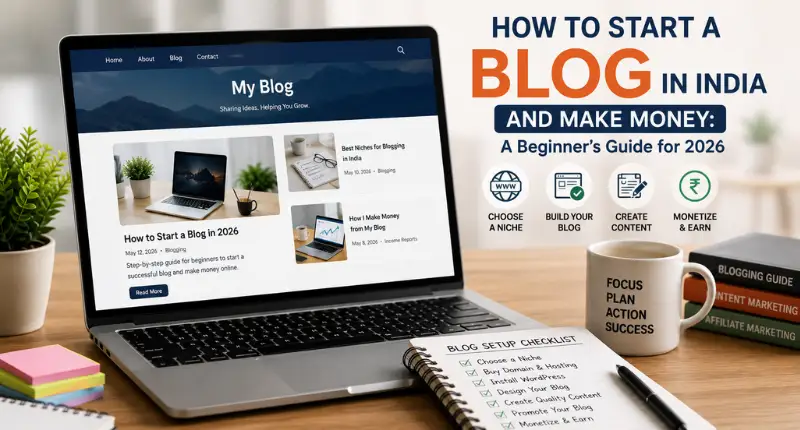
I get this question at least once a week now usually from someone in their twenties, sometimes from a homemaker in Ahmedabad who wants a side income, once from a retired schoolteacher in Nashik. “Hardik, I want to start a blog in India, but where do I even begin?” I’m Hardik Vaghani, founder of Digi Segment and HV Digital Marketing, and I’ve spent years helping people in India figure out exactly this not in theory, but by watching what actually works and what quietly kills a blog in month two.
Here’s the honest part first: most people who start a blog in India quit before month four. Not because blogging stopped working. Because they picked the wrong platform, wrote five posts with no plan, and gave up when Google didn’t notice them. That’s fixable. And it’s fixable in a weekend, not a year.
The Short Version
Starting a blog in India means picking a niche you can write about for two years without getting bored, buying hosting and a domain (₹150-₹350 a month is enough to start), installing WordPress, writing genuinely useful SEO content, and applying for Google AdSense once you have 20-25 solid posts. Monetisation ads, affiliate links, sponsored posts comes after the traffic, never before.
Most people I talk to are trying to solve one problem: they want to know if this is still worth doing. So let’s deal with that first.
Why Blogging Is Still Profitable in India in 2026
I know the internet feels crowded. Everyone’s making Reels, every niche looks “saturated,” and AI-written content is everywhere. But here’s what the data actually says: India crossed 1.03 billion internet users by the end of 2025, putting the country’s online penetration at 70% of the population, according to DataReportal’s Digital 2026 India report. That’s not a shrinking audience it’s still growing. And WordPress, the platform this guide is built around, still powers somewhere around 42% of all websites globally as of mid-2026, per W3Techs’ usage tracking. Neither of those numbers screams “dying industry.”
What’s changed isn’t opportunity it’s competition quality. Thin, AI-spun content gets buried fast now. Blogs that answer real questions with real experience still rank. I’ve watched this happen with client sites in totally unrelated industries solar, plumbing, real estate the pattern repeats: specific, honest content wins over generic content every time, in every niche.
So no, blogging in India isn’t dead. It’s just pickier about who it rewards.
Step 1: Choosing a Profitable Blog Niche in India
Don’t pick a niche because it’s “trending.” Pick one where three things overlap: you can write about it for two years without hating your life, people in India are actually searching for it, and there’s some way to monetise it eventually (ads, affiliate, or your own services).
A few niches that consistently work for Indian bloggers right now:
- Personal finance and investing: mutual funds, tax saving, credit cards
- Blogging and digital marketing: meta, I know, but it works
- Health and fitness: home workouts, diet plans, budget nutrition
- Tech and gadgets: reviews, comparisons, “best under ₹X” posts
- Regional food and travel: city guides, state-specific content
Here’s my honest take: broad niches like “lifestyle” rarely work for beginners. You’ll get lost. Narrow down. “Budget home workouts for working women in India” beats “fitness blog” nine times out of ten.
Step 2: Setting Up WordPress Hosting and Domain
This is where most beginners freeze. It shouldn’t take more than 20 minutes.
You need two things: a domain (your blog’s address, like yourblogname.com) and hosting (the server that stores your site’s files). Buy them together if you can most hosts throw in a free domain for the first year.
For Indian bloggers starting out, keep it simple:
| Hosting Provider | Starting Price (INR/month)* | Free Domain | Best For |
|---|---|---|---|
| Hostinger | ~₹69-149 | Yes (select plans) | Tightest budgets, UPI payment support |
| Bluehost | ~₹169-350 | Yes (1st year) | WordPress.org-recommended, beginner-friendly onboarding |
| HostGator | ~₹150-300 | Yes | Simple auto-installer for WordPress |
*Approximate promotional pricing; renewal rates are usually higher, so check before you commit to a multi-year plan.
Once you’ve paid, most hosts offer a one-click WordPress installer you don’t need to touch code. Log in to your hosting dashboard, click “Install WordPress,” point it at your domain, and you’ll have a live site within minutes.
Cost breakdown for year one (realistic budget):
- Hosting: ₹150-350/month → ₹1,800-4,200/year
- Domain (if not free): ₹500-900/year
- Premium theme (optional): ₹0-3,000 one-time
- Total to get started: Often under ₹5,000
Step 3: Designing Your Blog (Free Themes and Plugins)
Resist the urge to spend weeks customising your theme. Pick something clean, fast-loading, and mobile-friendly that’s it. Astra and GeneratePress both have solid free tiers that most beginner bloggers never outgrow.
Plugins you actually need on day one:
- Rank Math or Yoast SEO for on-page optimisation and meta tags
- WPForms or a similar contact form plugin
- A caching plugin (WP Rocket or free alternatives) speed affects both rankings and reader patience
- UpdraftPlus automated backups, because losing six months of posts to a server crash is a special kind of pain
We go deeper into exact plugin choices in our guide to WordPress SEO settings, if you want the full checklist.
Step 4: Writing Your First SEO-Optimised Blog Post
This is the step where most people either succeed or quietly fail. Writing an SEO-optimised post isn’t about stuffing keywords Google’s smarter than that now, and readers can smell it anyway.
Structure that actually works:
- Answer the reader’s question in your first two paragraphs. Don’t make them scroll.
- Use one clear H1 and break the rest into H2s and H3s it helps both readers and Google understand your structure.
- Write 1,500+ words for competitive topics. Thin content rarely ranks anymore.
- Add internal links to your own related posts we cover the exact mechanics of this in our SEO basics guide.
- Do basic keyword research before you write, not after.
I’ll be blunt: your first ten posts probably won’t rank well. That’s normal. Google needs to trust your domain first, and that trust builds through consistency, not perfection.
Step 5: Getting Google AdSense Approval for Your Blog
AdSense is usually the first monetisation method people chase, and for good reason it’s passive once it’s set up. But approval isn’t automatic.
What actually gets you approved:
- 20-25 genuinely useful, original posts (not spun, not AI-dumped)
- A clear About page, Contact page, Privacy Policy, and Disclaimer
- Clean site navigation no broken links, no half-built pages
- A domain that’s been live for at least a few weeks, ideally longer
I’ve seen bloggers get rejected three times because they applied on day five with eight thin posts. Patience here pays literally.
Steps 6-8: Affiliate Marketing, Sponsored Posts, and Digital Products
Once traffic starts building, AdSense stops being your only option and honestly, it shouldn’t be your main one long-term.
Affiliate marketing: Join Amazon Associates India, or niche-specific affiliate programs. Recommend products you’d genuinely use. Readers notice when you’re just chasing commission.
Sponsored posts: Once you’re getting a few hundred visitors a day, brands start reaching out or you can pitch them directly once you have real numbers to show.
Digital products: E-books, templates, mini-courses. This is where the real income ceiling lifts, because you’re not splitting revenue with anyone.
What Actually Happened When I Helped a Reader Start From Zero
Back in early 2024, someone messaged me on LinkedIn a college student in Pune, no coding background, ₹3,000 total budget. He wanted to start a blog in India around personal finance for students. I told him to skip the fancy theme, skip the logo designer, and just get 15 posts published in his first month.
He didn’t listen entirely spent two weeks picking a theme color scheme instead of writing. Classic beginner mistake, and I’ve made it myself. But once he got moving, he published consistently for four months. By month five, he was getting around 40 organic visitors a day. Not huge. But real, and growing. He got AdSense approved in month six, and by the end of year one he was pulling in a modest but genuine ₹8,000-10,000 a month between ads and one affiliate partnership with a budgeting app.
The lesson wasn’t “blogging makes you rich fast.” It was that consistency beat perfection, every single time he checked his analytics.
FAQ: Starting a Blog in India
Q: How much money can a blogger make in India?
A: It ranges wildly from a few thousand rupees a month for hobby blogs to lakhs monthly for established niche sites. Most beginners earning consistently through AdSense alone see ₹5,000-15,000/month in their first year, with affiliate and sponsored income scaling faster after that.
Q: How long does it take to earn from a blog in India?
A: Realistically, 6-12 months before you see meaningful traffic, and AdSense approval usually needs at least 20-25 posts. Anyone promising overnight income is selling something.
Q: Can I start a free blog and still make money?
A: You can start on Blogger or WordPress.com for free, but monetisation options are limited and you don’t own your domain. If money is the goal, self-hosted WordPress.org is worth the ₹150-350 a month.
Q: Which hosting is best for bloggers in India?
A: For pure budget, Hostinger. For WordPress.org’s own recommendation and smoother onboarding, Bluehost. Both work fine for a beginner’s first year.
Q: Do I need to know coding to start a blog?
A: No. WordPress’s one-click installers and drag-and-drop page builders mean zero coding is required to launch and run a blog.
Q: Is blogging still worth it in India in 2026?
A: Yes India’s internet user base is still growing past a billion people, and demand for genuinely useful, human-written content is actually rising as AI content floods search results. The bar’s higher, but the opportunity is real.
Q: WordPress.com or WordPress.org which one should I use?
A: WordPress.org (self-hosted) if you’re serious about monetising. WordPress.com is fine for a purely personal hobby blog with no income plans.
Q: How many blog posts do I need before applying for AdSense?
A: Aim for 20-25 well-written, original posts. Fewer than that, and rejection is common.
Go Deeper, and Getting Started
If you want the platform-specific walkthrough, our 7-step guide to starting a blog on WordPress covers the exact click-by-click setup. Once your blog is live, your next stops should be keyword research for beginners, WordPress SEO settings, and once you’re ready to run paid traffic alongside organic, our Google Ads for beginners guide.
On the technical side, WordPress.org’s own getting-started documentation is worth bookmarking, and once your AdSense application is ready, the Google AdSense program policies page lays out exactly what gets approved and what doesn’t read it before you apply, not after you get rejected.
If this helped, Digi Segment’s newsletter sends one practical guide like this every week no fluff, no padding.

Founder, Digi Segment
SEO Strategist & Digital Marketing Expert
Hardik Vaghani is a digital marketing professional and SEO strategist based in Surat, Gujarat, India. He founded Digi Segment to share practical, experience-backed insights, case studies, and step-by-step guides on SEO, digital marketing, AI tools, and online growth strategies.
With hands-on experience across Search Engine Optimisation, Technical SEO, Google Ads, Meta Ads, and Content Strategy, Hardik has worked with businesses across e-commerce, real estate, healthcare, home improvement, and solar industries to improve organic visibility, local rankings, and lead generation through ethical, white-hat strategies.
He specialises in Core Web Vitals optimisation, on-page SEO, keyword research aligned with search intent, and building scalable content frameworks that rank.
Expertise: SEO | Technical SEO | Google Ads | Meta Ads | LinkedIn Ads | Pinterest Ads | ChatGPT Ads | Content Strategy | Core Web Vitals | WordPress | Digital Marketing | Lead Generation | Local SEO